
Fully licensed & insured · WorkSafeBC coverage · Lower Mainland

Gate & parkade remote

CDVI

R2

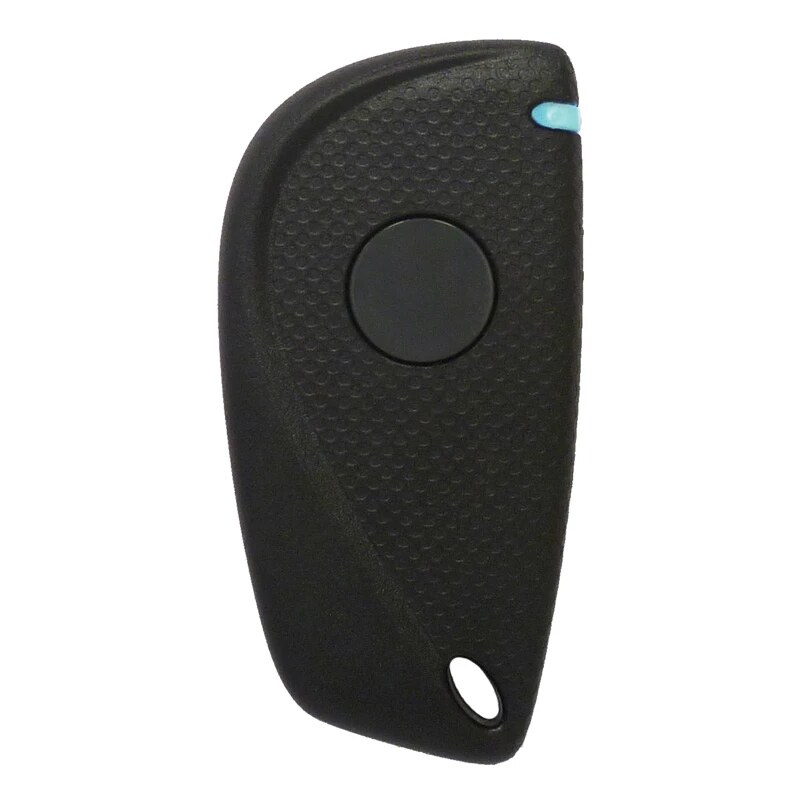
RADIUM 2-Channel Remote

Two-channel keychain transmitter for gates, overhead doors and other approved RADIUM receiver applications.

CDVI R2 RADIUM 2-Channel Remote
R2 two-button housing shown. The R2C variant adds an internal CDVI proximity tag; confirm the full model on the rear label.

Direct compatibility answer

Will this credential work with your building?

CDVI standard 433.92 MHz RADIUM receivers; receiver enrolment is required.

A matching model name does not guarantee a working credential. Secure systems can use different receiver generations, facility codes, card formats, encryption keys or pre-programmed number ranges inside visually identical housings.

Details to confirm

BrandCDVI
Model / MPNR2
Technology433.92 MHz · KeeLoq hopping code
Typical supplyIndividual or building quantity

Compare the CDVI RADIUM remotes family

These related housings can differ by button count, radio format, integrated proximity technology and receiver compatibility. Match the exact model and building data before ordering.

ModelCredentialTechnologyCompatibility
R2 Current pageRADIUM 2-Channel Remote433.92 MHz · KeeLoq hopping codeCDVI standard 433.92 MHz RADIUM receivers; receiver enrolment is required.
R2TRADIUM 2-Channel Heavy-Duty Remote433.92 MHz · secure hopping codeCDVI RADIUM receiver family; confirm the exact transmitter and optional tag configuration.
R2TCRADIUM 2-Channel Remote with CDVI Tag433.92 MHz remote · integrated CDVI tagCompatible CDVI RADIUM receiver plus the building’s approved CDVI reader format and credential range.
R4RADIUM 4-Channel Remote433.92 MHz · four channelsCDVI standard RADIUM receivers; each channel and user record must be configured for the site.
RS1RADIUM Slim 1-Channel Remote433 MHz · KeeLoq rolling codeCDVI RADIUM receivers; RS1-C, RS1-H and RS1-EV2 credential variants must be matched exactly.

How WeTech handles replacement credentials

  1. 01

    Confirm the installed system

    We verify the receiver or reader model, the active credential technology and available programming access.

  2. 02

    Match the required data

    Where applicable, we confirm facility code, bit format, serial-number range, button functions and integrated tag type.

  3. 03

    Supply and register

    Each credential is assigned to an authorized user, unit, employee or vehicle and tested against the intended entrance.

Start with the property

Need CDVI R2 credentials for a building?

Send the model, photos, required quantity and building authorization. WeTech will confirm compatibility and current availability before quoting.