
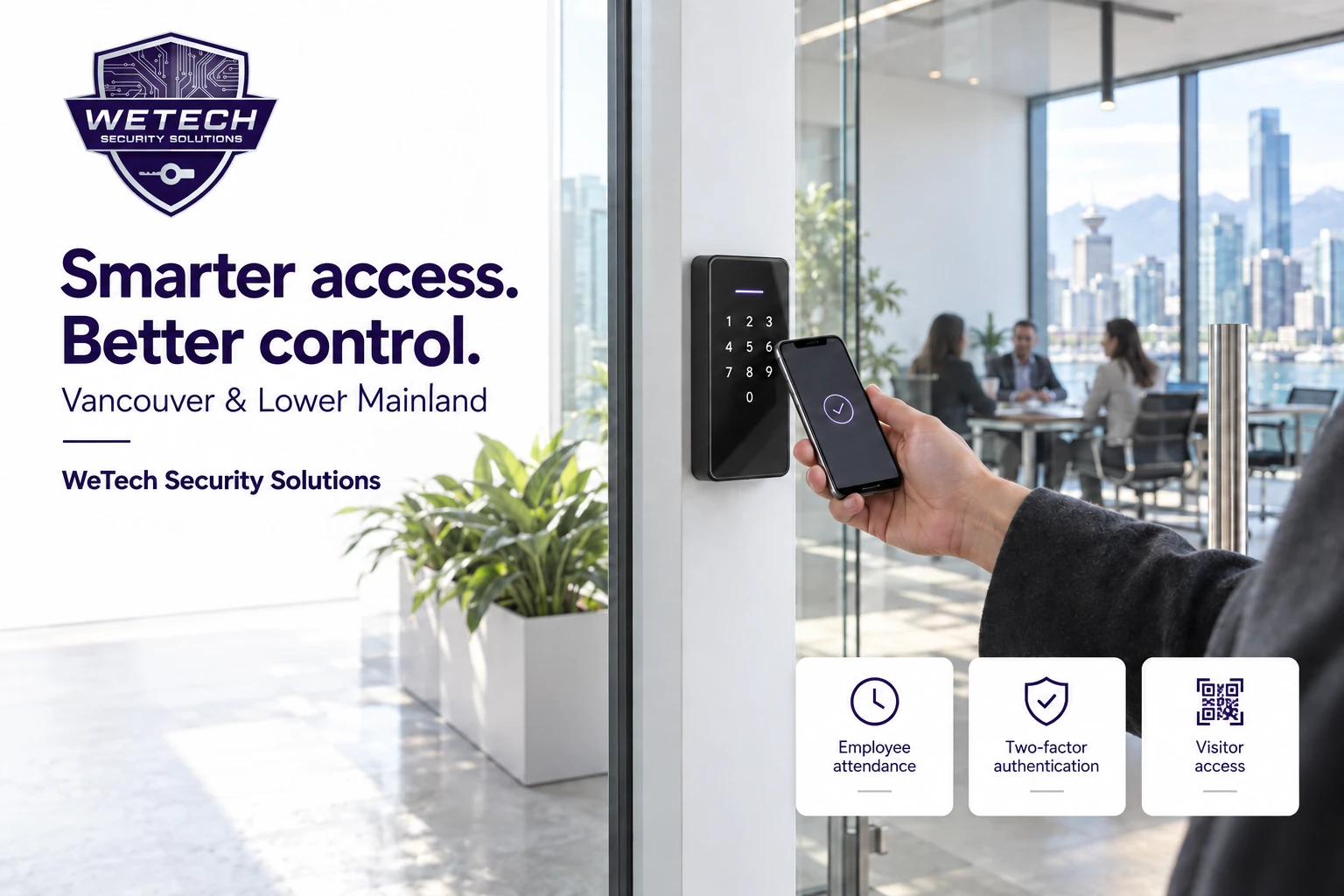
A business door has several jobs. It needs to welcome customers, let employees start their shifts, give deliveries a clear way to reach someone and protect areas that should stay private. Managing all of that with shared keys and a single keypad code can become difficult as a team grows.
Modern commercial access control brings those decisions into a managed system. A business can give each employee an individual credential, choose which doors they can use and define when their access works. With the right equipment and software package, the same installation can support mobile entry, video intercom, visitor passes and employee attendance reporting.
For an office in downtown Vancouver, a restaurant in Coquitlam or a warehouse in Surrey, the useful question is: which features will make your daily operation easier to manage?
Direct answer
The short answer
Commercial access control lets a business manage who can enter, which areas they can access and when entry is permitted. Compatible systems can combine fobs, mobile apps, PINs, visitor credentials and video intercom. Attendance reporting and two-factor authentication add further control when they are included and configured for the site. This guide explains the available capabilities and the choices that affect them. Individual features depend on the selected readers, controllers, phone compatibility, firmware, permissions and software package.
Give each employee the right level of access
The starting point is an individual staff record linked to that person's approved credentials. This makes it easier to change one employee's access without changing how everyone else enters.
Access groups combine doors and schedules. A receptionist, kitchen employee, warehouse worker and business owner can have different permissions even when they work at the same address. Holiday schedules can change the normal routine for selected dates.
For example, an illustrative office setup could give all employees weekday access to the main entrance, restrict a records room to a smaller group and allow the cleaning team into approved areas during an evening window. The owner can decide whether managers need broader hours or access to additional locations.
Keep an employee's permission to unlock separate from a schedule that leaves the door unlocked. An employee may be allowed to badge in at 7 a.m. while the customer entrance remains secured until opening time. That distinction is especially useful for businesses with early preparation shifts.
Open for customers after the first authorized employee arrives
A supported First Credential In arrangement can keep an entrance secured until a designated employee arrives, then allow it to remain unlocked during the configured business hours. This is useful when a shop should not become publicly accessible simply because the clock reaches its opening time. Decide which employees can start that sequence and test how it interacts with the daily schedule.
When an employee leaves, remove or disable their permissions and review every credential assigned to them. Confirm that the affected devices have received the update, particularly if a reader has been offline. Our access control installation service covers the door hardware and programming needed to put these rules into practice.
Mobile app access: give staff a convenient way to enter
Employees can use an authorized mobile app to unlock assigned doors. Access-only accounts can provide entry without enabling intercom calling. Managers who need visitor communication can have a different feature set.
That separation matters in a workplace. A person who only needs to open the staff entrance does not automatically need to receive visitor calls or manage other employees. Decide who needs entry, who answers the intercom and who administers the system before allocating accounts.
App-based opening, Bluetooth proximity entry and NFC tap entry are distinct methods. Remote app commands use the connected system; Bluetooth and NFC involve interaction near a compatible reader. The availability and behaviour of each method should be demonstrated on the phones your team actually uses.
Supported Bluetooth options include hands-free proximity entry, shake-to-open and a tap-like interaction near the reader. These modes depend on the device and configuration. Choose a range and activation method that make sense at the entrance, especially where people regularly walk past without intending to enter.
For staff who prefer a physical credential, a fob or card can remain part of the design. This also gives the business a practical option for a flat phone battery, a damaged handset or an employee who does not use a smartphone for work.
Choose the entry method around the job
| Entry method | How it is used | What to confirm |
|---|---|---|
| Mobile app | An authorized user selects a door in the app | Account permissions, connectivity and remote-opening policy |
| Bluetooth | A compatible phone communicates with a nearby reader | Reader support, phone settings and activation behaviour |
| Android NFC | A supported Android phone is presented to the reader | Phone, app and reader compatibility |
| Apple Wallet | An issued credential is presented using a supported iPhone or Apple Watch | Supported hardware, device requirements and credential subscription |
| Fob or card | An assigned physical credential is presented | Exact credential technology and reader compatibility |
| Personal PIN | The user enters an assigned code | Keypad availability and code-management rules |
| Visitor QR code | A guest presents a time-limited digital pass | QR-capable reader and permitted doors and times |
| Facial recognition | An enrolled user authenticates at a compatible camera-equipped terminal | Appropriate hardware, enrolment policy and an alternative entry method |
Apple Wallet, Android NFC and optional facial recognition
Apple Wallet access uses a provisioned credential on supported Apple devices. It requires compatible access equipment and a paid credential subscription. Android NFC access follows a different setup; support for one does not establish support for the other.
Ask for a demonstration with the intended reader and phone before deciding that mobile credentials will replace physical fobs across the business. Include the cost of adding or renewing credentials in the proposal.
Facial recognition is another available option on suitable terminals. It can be useful where staff want an entry method that does not involve finding a card, but it requires a deliberate enrolment and information-handling process. A slim keypad reader should not be assumed to include a facial-recognition camera.
Before enabling biometric access, decide why it is needed, explain the process to staff and establish who can manage enrolment and deletion. Include a suitable alternative such as a card or PIN. The configuration should reflect the business's privacy obligations and operating policy.
Two-factor authentication: protect the door and the management account
Two-factor authentication, often shortened to 2FA, requires two different types of evidence to authenticate a user. A card is something a person has; a PIN is something they know. Requiring both can reduce the usefulness of a lost card on its own.
Two credentials at the door
Compatible devices support combinations such as card plus PIN, face plus PIN or face plus card. Both checks must succeed for the configured entry process to complete. The available combinations depend on the terminal: a reader without facial recognition cannot provide a face-based combination.
A sensible application is a restricted office or stockroom where the business wants an additional check before admitting someone. For a busy public entrance, the extra step needs to be balanced against how people move through the door.
Having several alternative ways to unlock does not, by itself, mean 2FA is active. The system must be configured to require the chosen combination. Certain convenience functions, including voice-assistant opening, are unavailable when the documented dual-authentication mode is enabled.
Two-factor login for administrators
The management portal can also require a password and a verification code sent by email when that option is enabled. This protects the account used to administer the system and is separate from the checks at a physical door.
Use named administrator accounts and give management access only to the people who need it. Securing the email accounts that receive login codes is part of protecting that workflow.
Employee time and attendance: turn defined access events into useful reports
Attendance is most useful when the business first agrees how employees will check in, check out and handle exceptions. A successful door opening at a configured attendance point can create an attendance punch. An ordinary door-release button does not identify the employee using it.
The attendance module supports fixed and flexible arrangements. Documented options include:
- Up to three working periods in a fixed timetable, including overnight periods.
- Defined punch windows, break deductions and late-arrival or early-departure allowances.
- Flexible daily-hour targets and optional repeated in/out pairing.
- Daily, weekly or monthly shift cycles, plus temporary shift changes.
- Leave records and manager corrections for missed punches.
- Daily and monthly reports, configurable export fields, monthly overtime totals and attendance exceptions.
These settings allow a manager to organize attendance around the site's actual working pattern. The software package and eligible personnel count must be confirmed for the project.
Plan the employee procedure before choosing the readers
Start with four questions: Where does a shift begin? Where does it end? How are breaks recorded? Who reviews missing or unexpected entries?
Consider an illustrative restaurant with a public front entrance and a staff door at the back. If attendance matters, the staff procedure needs to identify each employee consistently. Several people following one colleague through an open door will not produce an individual record for everyone. A manager remotely admitting a delivery driver should not be mistaken for that manager arriving at work.
The same issue applies when leaving. If the business needs an identifiable departure event, the equipment and procedure must support it while preserving the approved exit arrangement. Buying a reader for the outside of a door does not automatically solve that requirement.
Agree what the report means
An attendance record is evidence of recorded activity. It does not independently establish every minute worked, whether an employee was on a paid break or whether someone was performing authorized work away from the premises.
For example, an employee might start work at another site before reaching the office. Another might forget a credential and be admitted by a colleague. The business needs a fair way to review these situations before using the report in a pay decision.
Use a short pilot with representative shifts, including a late finish if relevant. Compare the results with what actually happened, correct the procedure and train the team. If payroll export or integration is required, test the exact file and receiving software. Treat automated payroll calculations and integrations as separate requirements that need confirmation.
Temporary visitor access without sharing a permanent staff code
Visitor credentials can be limited by time and permitted area. Depending on the configured system, a guest can receive a temporary QR code or PIN for the approved visit.
A practical visitor process begins with the host identifying the guest, the reason for the visit and the entrance they should use. The business then chooses the permitted doors and time window. When the visit ends, the credential should no longer grant access beyond its approved validity.
This can work well for an interview candidate, a contractor attending an appointment or a technician visiting a service area. A recurring contractor may need a planned schedule rather than a broad, permanent code shared by several people.
Visitor permissions should follow the route the guest actually needs. Access through a lobby should not automatically provide access to storage, private offices or every floor. Where one-time or use-count restrictions are required, include and demonstrate the exact supported behaviour in the configured package.
Video intercom: see and speak to visitors before releasing a door
A commercial video intercom gives visitors a way to contact an authorized person. Depending on the design, staff can answer through an enabled mobile app, indoor monitor or supported communications endpoint, speak with the visitor and release the correct entrance.
For an office without a full-time receptionist, this can help the team respond when they are away from the front desk. In a restaurant, a monitor in the production area can make a back-door delivery easier to handle without relying on someone hearing a knock.
The call route matters as much as the panel. Decide who receives calls, what happens if nobody answers and whether there are different arrangements outside business hours. Avoid giving every employee visitor-call privileges merely because they need app entry.
A video call and continuous security recording are different functions. If the intercom camera needs to record to a CCTV system, specify compatible equipment, the recording method and retention separately. WeTech's commercial office security solutions can bring these requirements into one installation scope.
Remote management for one business or several locations
A cloud management portal allows authorized administrators to maintain users, permissions, visitors and records without being at each entrance. Multi-company configurations can delegate appropriate management responsibilities to individual tenant businesses. Multi-site arrangements can help an organization manage access across locations.
In practice, this means deciding who owns each decision. A local manager might be responsible for their team's staff changes, while a central administrator oversees the wider deployment. A tenant should receive only the responsibilities agreed with the building operator.
An appropriately authorized administrator app can also handle personnel, credentials, access groups and visitor keys. This is useful when the responsible manager is moving around the site. Staff who use the app only to enter should have a different role from those allowed to change access.
Account handover deserves attention from the start. The business should know which accounts it controls, who can request changes, how support is provided and what happens when an administrator leaves. Routine access administration should not depend on a shared password known by several former employees.
Access logs, event records and door alerts
Access records help managers review activity at controlled entrances. Depending on the equipment and configuration, logs can identify the user or credential, the door, the event time and the result. Camera-equipped devices can provide associated images where supported and enabled.
These records can help answer a specific operational question: Was a credential accepted? Which entrance was involved? Was the attempt outside the person's permitted schedule? They should be interpreted alongside the situation at the door.
A successful unlock command is not the same as proof that a door physically opened or that a particular person walked through it. Door-position monitoring requires the appropriate sensing and configuration.
Supported installations can provide door-open-timeout and tamper alerts. Define the delay, alert recipients and expected response during setup. A delivery entrance that is routinely held open for unloading may need a different operating policy from a restricted office.
Automate a response to selected events
Where the event-rules feature is supported and enabled, selected events can trigger administrator notifications, emails, webhooks or approved door and relay actions. A webhook passes an event to a configured external service; it does not automatically create an integration with every business application.
For example, a business could specify a notification when a monitored door stays open beyond the permitted time. Agree who receives it and what they should do. The automation package, event types, limits and connectivity requirements must be confirmed, and cloud notifications should not be treated as a guaranteed emergency response channel.
Confirm which events are retained, whether they can be exported and who can view them. Live intercom viewing, event snapshots and continuous CCTV footage have different purposes and storage requirements.
Advanced controls: anti-passback, interlocking and emergency actions
Anti-passback
Anti-passback applies an entry-and-exit sequence to credentials. In a correctly designed area, it can restrict a second entry when the expected exit has not been recorded. This helps discourage someone from handing a credential back for another person to reuse.
It depends on suitable entry and exit readers and consistent use. It does not physically stop someone following an authorized person through an open door. Define how missed events are resolved before enabling a restrictive rule.
Interlocking doors
Supported multi-door controllers can provide an interlock arrangement in which one door's state affects whether another may be released. This is a specialized design choice for suitable spaces, not a feature to assume on every standalone reader. Sensors, controller support and the approved exit sequence need to be considered together.
Emergency release and lockdown
Supported configurations provide emergency actions for designated door groups. The business must define who can activate them, which doors respond and how normal operation is restored. Physical locking behaviour, safe exit and fire-system coordination belong in the approved installation design.
A software button alone is not an emergency plan. Staff need to understand the agreed response, and the complete sequence should be tested with the appropriate building representatives and trades.
Elevator, gate and parking access
In suitable buildings, access control can extend beyond the office entrance. Elevator integration can limit credentials to approved floors. Gate or parking integration can connect vehicle access with the wider access-management arrangement.
That can make sense where a business has staff parking, a loading area or controlled access from a shared lobby. Vehicle credentials, UHF readers, licence-plate equipment and gate interfaces are separate components that must be selected for the site.
Compatible parking arrangements can also provide recorded vehicle movements, parking durations and occupancy information. These are useful management records when the entry and exit process captures movements consistently. A manually opened gate or an unrecorded exit can affect what those records represent.
For a leased office, building-management approval and coordination may be required. An office's new access system does not automatically gain authority over the building's elevator or parkade. Define the boundary between tenant-controlled doors and building-controlled equipment before quoting the work.
What happens if the internet or power fails?
Ask for an outage demonstration as part of acceptance. Local credentials, Bluetooth entry, cloud commands and intercom calls use different paths, so they should be checked separately on the chosen system.
The handover should explain which locally stored credentials continue to work, which features need connectivity and when changes reach an offline device. It should also explain how records are handled when communication is restored. Avoid assuming that an app working during normal operation proves every phone-based method will work during an outage.
Power planning should cover the reader, controller, network equipment and locking hardware. Backup runtime and door behaviour depend on the installed design. Identify the approved manual or alternative access procedure so staff know what to do if a component is unavailable.
Match the features to the business
The following are illustrative starting points, not descriptions of completed installations.
| Business | A useful starting scope | A question to resolve early |
|---|---|---|
| Office | Staff fob or app entry, scheduled access, visitor intercom | Who answers visitors when reception is unattended? |
| Restaurant | Separate customer and staff-door rules, delivery calling, attendance workflow | How will each employee record arrival and departure? |
| Retail business | Individual credentials, manager permissions, stockroom restrictions | Which staff need access before opening and after closing? |
| Warehouse | Staff and contractor access, loading-area communication, event review | How will shift changes and deliveries affect door operation? |
| Multi-location company | Consistent access groups and defined local administration | Who can change access across several sites? |
| Shared commercial building | Tenant administration and coordinated common-area access | Which permissions belong to tenants and which stay with building management? |
Start with the problem that costs the most time or creates the clearest exposure. A small business may gain more from individual credentials and a reliable visitor-call route than from enabling every advanced feature immediately.
What affects installation cost?
The total depends on the openings and the intended workflow. A complete scope should account for readers, controllers, locking hardware, door contacts, exit devices, cabling, network access, power, programming and training.
Existing doors can change the amount of work considerably. A glass storefront, a steel staff entrance and an interior office door may need different hardware and installation methods. Reusing a cable or lock should follow an assessment of its condition and compatibility.
Software choices also matter. Attendance, intercom accounts, mobile-wallet credentials and other services may have separate package or subscription conditions. Your WeTech proposal should identify the included features, user allowances and any continuing charges. Ask for those details alongside the hardware price.
If the initial budget is limited, define a first phase around the essential doors and entry methods, then identify what is needed for future expansion. This gives the business a practical starting point while making later choices easier to evaluate.
Frequently asked questions
Questions property teams ask
Can the same system handle door access and employee attendance?+
Yes, when the attendance feature is included and the access points are configured for that purpose. A reliable result also needs a clear staff procedure for arrivals, departures and exceptions.
Does every employee need the full intercom app package?+
No. Access-only users can have a different feature set from people who answer visitor calls. Confirm the account types, allowances and costs in the proposed package.
Can we keep using fobs as well as phones?+
Yes, compatible systems can support multiple credential types. WeTech should confirm the actual fob technology and phone methods before promising reuse of existing credentials.
Is a PIN and a fob the same as two-factor authentication?+
It is two-factor entry when the configured door requires both the assigned credential and the PIN. Offering a choice of either method is a different arrangement.
Will attendance automatically run our payroll?+
Do not assume that it will. Confirm report fields, export compatibility, exception review and any payroll integration separately. The business still needs to decide how recorded events relate to paid work.
Can we give a contractor access for a specific visit?+
Yes, supported visitor credentials can be restricted to the permitted doors and validity period. The exact QR, PIN and usage-limit options should be demonstrated during setup.
Can the system work with our existing building fobs?+
Possibly. Compatibility depends on the credential technology, reader and building's rules. A compatible fob may still need separate enrolment in the office system, and office access remains separately managed.
Do all these features come with every installation?+
No. The installed hardware, software package and agreed scope determine the available features. A written feature schedule makes proposals easier to compare.
Sources & further reading
Primary references
- Commercial mobile-access and intercom user guide↗
- Employee attendance: shifts, exceptions and reporting↗
- Two-factor authentication at the door↗
- Visitor and courier temporary access keys↗
- Commercial mobile-wallet credential requirements↗
- First authorized arrival and opening schedules↗
- Automated event rules and notifications↗
- Commercial floor-access integration↗
Plan a commercial access system around your business
WeTech Security Solutions provides commercial access control, video intercom and security-system installation for businesses across Vancouver and the Lower Mainland, including Burnaby, Richmond, Surrey, Coquitlam, New Westminster and Langley. For a useful site visit, tell us how many doors you want to control, approximately how many people need access, how visitors arrive and whether attendance reporting is part of the goal. Photos of the doors and existing hardware help us prepare. We can then define the entry methods, staff permissions, visitor process and reporting features that fit your operation.
Request a Site Visit