
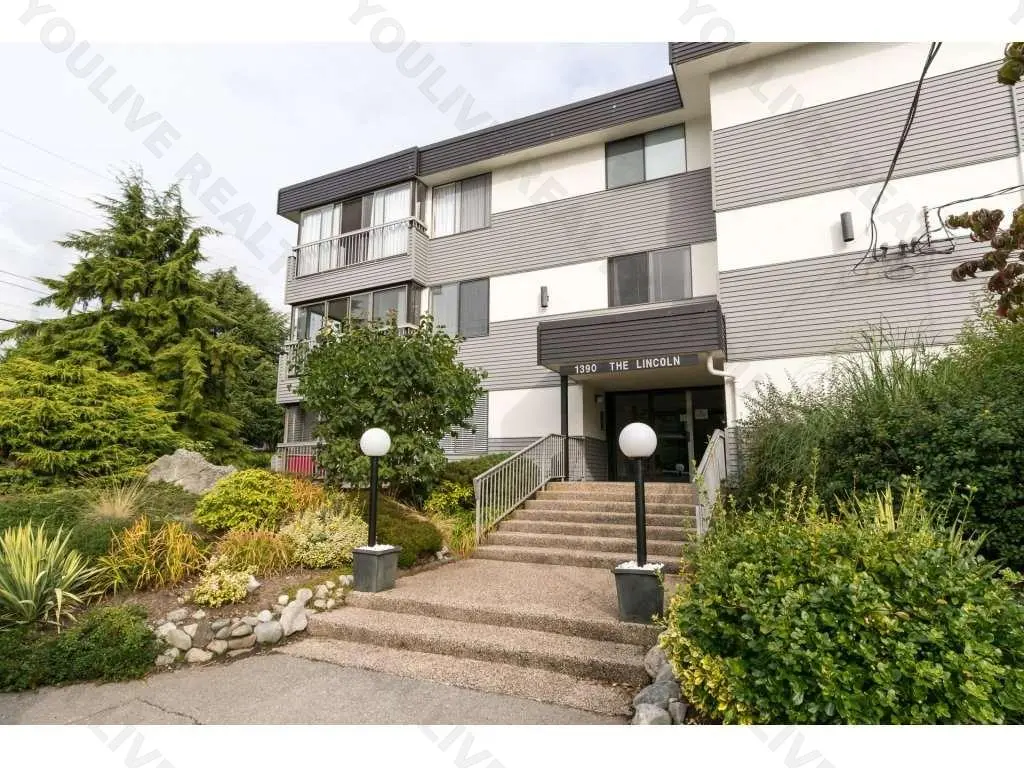
 White Rock
Akuvox video intercom · Access control · Facial recognition
Lincoln
- Original intercom was out of service
- Akuvox video entrance station
- Custom Lincoln welcome wallpaper

Completed project · Burnaby
Burnaby, British Columbia
Representative pharmacy illustration. See the actual UPRX installation photo below.RF card and app entry, remote employee management, staff schedules and temporary visitor access—connected to a professionally installed electric door strike.
Before the upgrade
What WeTech installed
After the upgrade
Project detail
WeTech Security Solutions completed an Akuvox access control installation at UPRX Pharmacy in Burnaby, including a surface-mounted electric door strike. The system gives authorized managers a web portal to manage employee RF cards, mobile app access, staff and manager schedules, holiday access, temporary visitor PINs and door-access logs remotely.
A pharmacy's access needs change throughout the day. Employees need entry for their approved shifts, managers may need different hours, and an expected guest or patient may need a temporary way to enter. Those permissions also need to change when staffing or opening hours change.
At UPRX Pharmacy, WeTech installed an Akuvox door access control system that connects the entrance hardware with a web-based administration portal. Authorized management can maintain employee access and review activity without needing to be at the pharmacy for every routine change.
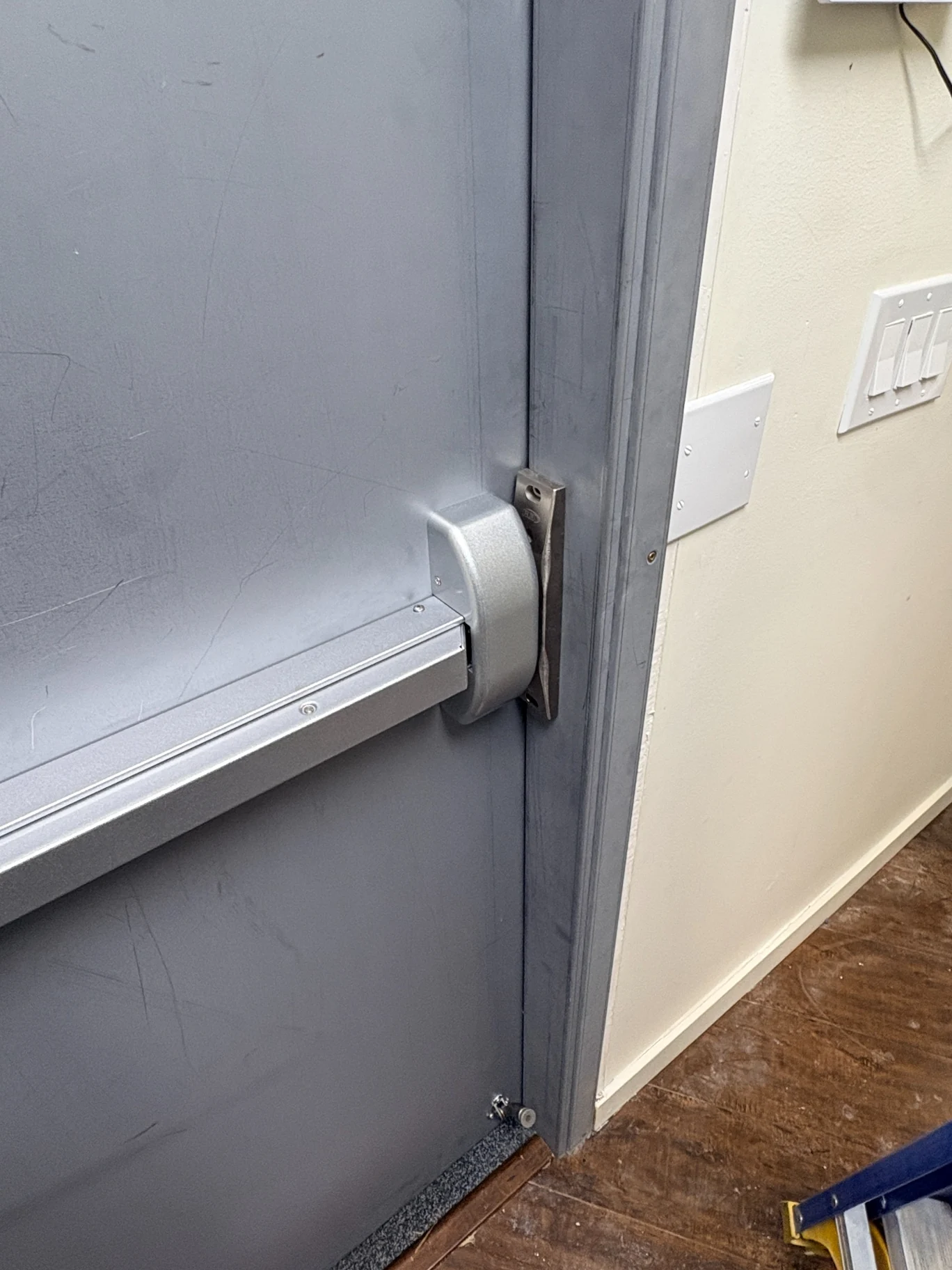
The physical installation included Akuvox access control and a surface-mounted electric door strike. An electric strike is the part of the door hardware that releases the latch when access is authorized. Surface-mounted describes how that hardware mounts to the opening; the suitable arrangement depends on the existing door, frame and latch.
This connects a digital permission to a physical action at the door. An approved card, app command or configured visitor PIN can authorize release through the access system. A similar retrofit at another Burnaby business starts with checking the opening and its existing hardware so the proposed locking arrangement fits the site.
Employees can use an assigned RF card, while authorized app users can unlock through their mobile access. Management can add employees and manage their credentials through the portal, keeping an individual access record for each person.
That gives the pharmacy a practical way to handle staff changes: add a new employee, adjust an existing person's access, or remove a credential when it is no longer authorized. Card and app permissions should follow the employee's role and approved access hours.
The portal supports different access levels and schedules for employees and managers. Management can decide which configured doors a person may use and the times when that access is permitted, instead of giving every employee the same unrestricted permissions.
Holiday schedules provide a way to account for exceptions to the ordinary working week. Before a closure or change in operating hours, an authorized manager can review the relevant schedule and permissions. This keeps the access configuration aligned with the pharmacy's own staffing and opening arrangements.
For an approved guest or patient visit, an authorized manager can create a temporary PIN with the appropriate door permissions and validity period. This provides access for the arranged visit without issuing an employee card or sharing a permanent staff credential.
When configured as one-time access, the PIN is single-use at each assigned door within its validity period. Management should select only the required doors and check the expiry and usage settings before sharing it. The credential controls entry; the pharmacy continues to arrange and approve the visit through its normal process.
Authorized managers can review door-access logs in the portal alongside employee records and permissions. Event records help them check which credential was used and when, supporting follow-up on an access question without relying solely on recollection. Log access should be limited to the people responsible for administering the system.
For another pharmacy, clinic or commercial workplace in Burnaby, the starting point is the entrance and the operating routine: who needs access, through which doors, at what times, and who will administer changes. WeTech can assess the door hardware, network requirements and staff workflow during a site visit and propose a suitable access control installation.
Real installation photos
Original project photograph from UPRX Pharmacy in Burnaby, showing the surface-mounted electric strike beside the door’s push-bar hardware.
Direct answers
WeTech installed an Akuvox access control system and a surface-mounted electric door strike, with web-based employee and credential management, app unlocking, access schedules, temporary visitor PINs and access logs.
Yes. The UPRX system supports assigned RF cards and authorized mobile app unlocking. Each employee's access can be managed according to their approved permissions and schedule.
Yes. Authorized management can configure different access levels and schedules for staff and managers, and account for holiday access requirements through the portal.
Yes, for an approved visit. Management can create a temporary PIN with selected doors and an expiry. A one-time PIN permits a single use at each assigned door within its validity period, so the door selection and usage settings matter.
Yes. Authorized managers can use the web portal to maintain employees, credentials, permissions and schedules and review access logs remotely. Remote portal and app functions require the appropriate network connectivity.
Yes. WeTech assesses pharmacy, clinic and commercial door access control projects in Burnaby. Share the property address, entrance photos and staff access requirements to arrange a site visit.
Connected proof
Follow the completed scope into the relevant WeTech service, local and industry guidance.
More project proof
White RockAkuvox video intercom · Access control · Facial recognition
 White Rock
 White Rock
Video intercom · Access control · Facial recognition
Start with the property
Tell us what the property has today, what is not working and what you want to improve. We’ll help you plan a practical next step.